Animations

The complete motion archive — 2D character acting, animal locomotion and game animation. Every shot here started as a rough sketch.

12 animations
Archive

Animation Library

Every clip in one place — pick one from the index to play it on the big screen.

Animation index

Fox Walk Cycle

Dog Run

Chopping Wood

Meadow Scene

Animated Short — Part One

Lip Sync Test — Matt

Gallop Cycle

Sousoro Cat — Game Trailer

Haai-thar — Drum Attack

Foggy Street

Shadow Wolf — Walk Cycle

First Step

0:00 / 0:00
Process

How an animation gets made

From the first thumbnail to the final render — the stages every shot goes through.

  1. Acting & Expressions

    Acting & Expressions

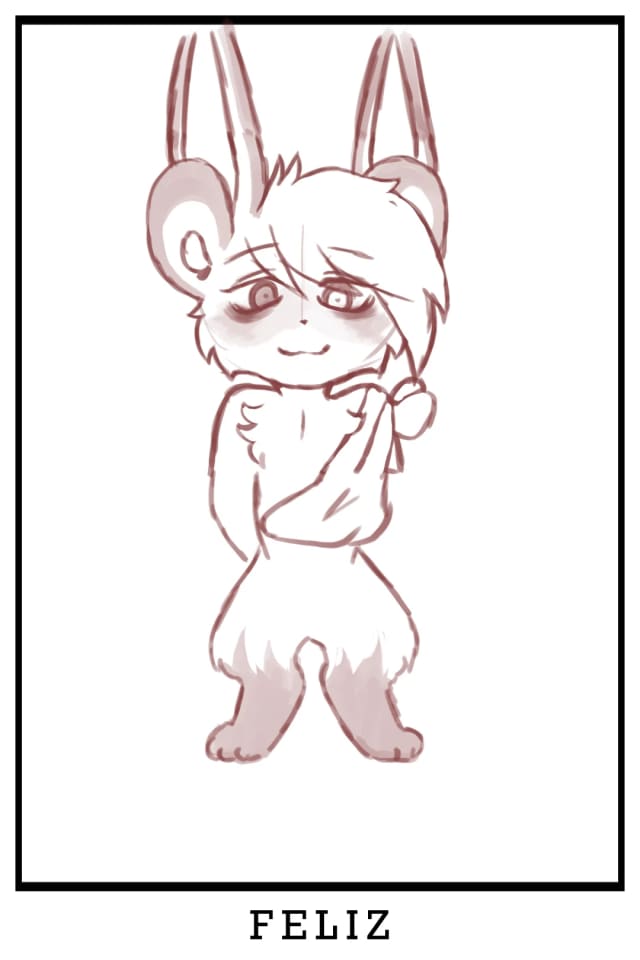
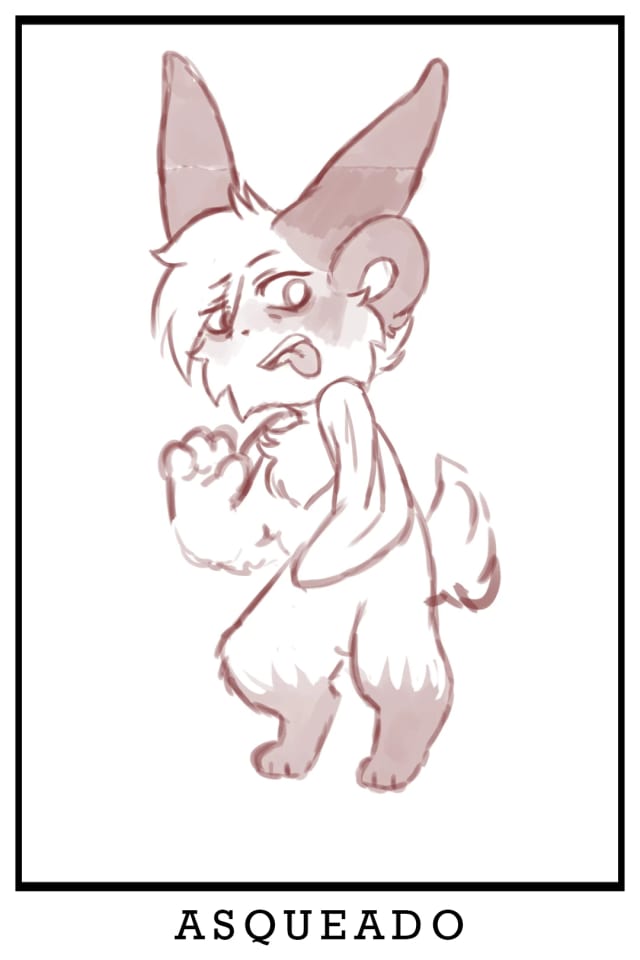
    Before a shot is animated, the character needs a range. Expression poses like these — love-struck, happy, disgusted — define how ears, eyes and posture react, so every key pose reads at a glance.

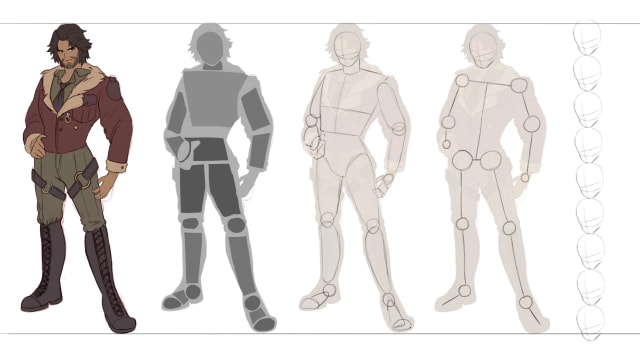
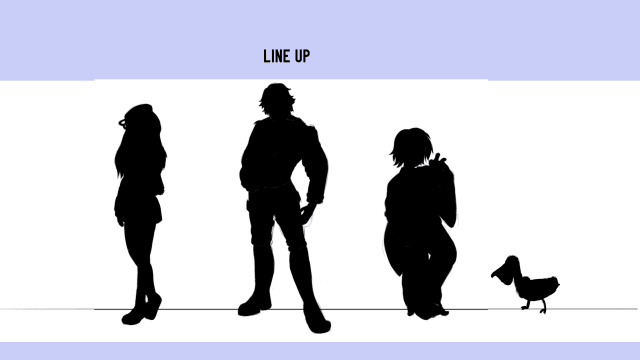
  2. Line-up & Proportions

    Line-up & Proportions

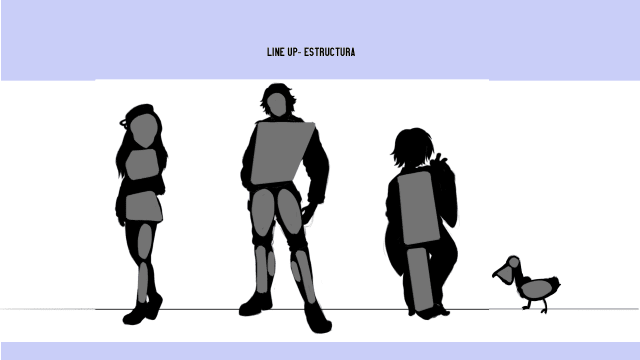
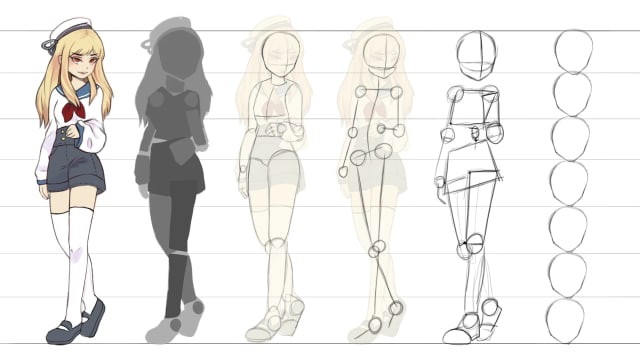
    The cast stands side by side as solid silhouettes to check height, shape language and readability. If a character is recognizable as a black shape, it will read in motion too.

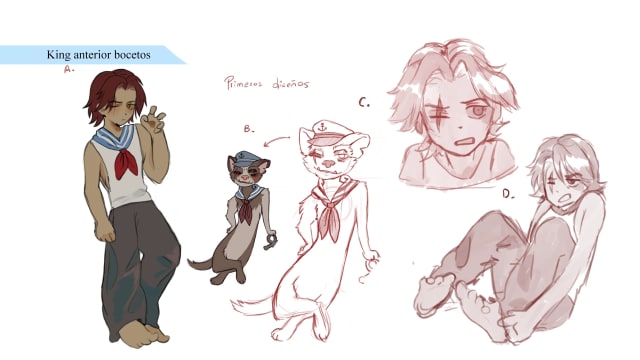
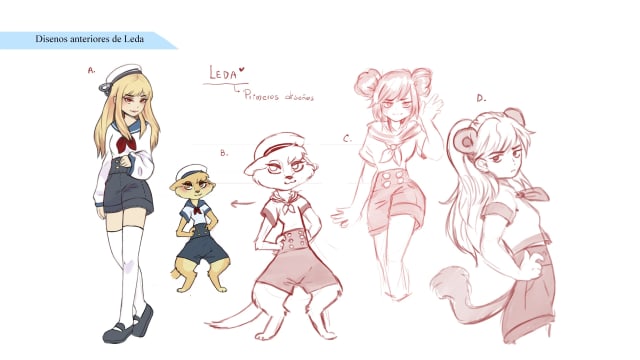
  3. Design Iterations

    Design Iterations

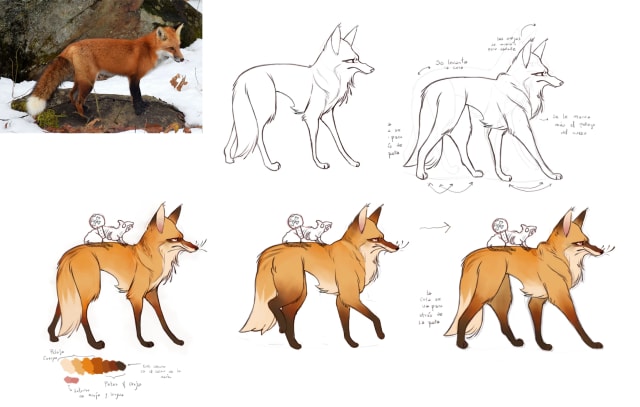
    Earlier versions of King and Leda, plus a fox study drawn from reference. Exploring outfits and builds before locking a design saves rework once animation starts.

  4. Scene & Color

    Scene & Color

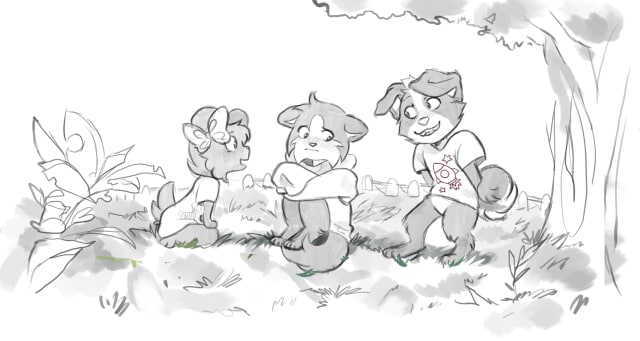
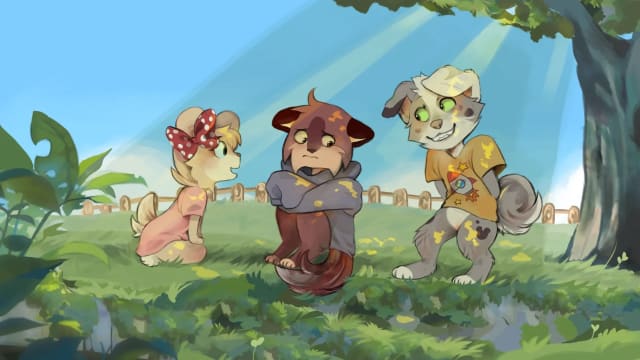
    The environment is sketched with the characters in place, then painted into a color key that sets the light, mood and palette for the whole sequence.

  5. Rough Animation

    Rough Animation

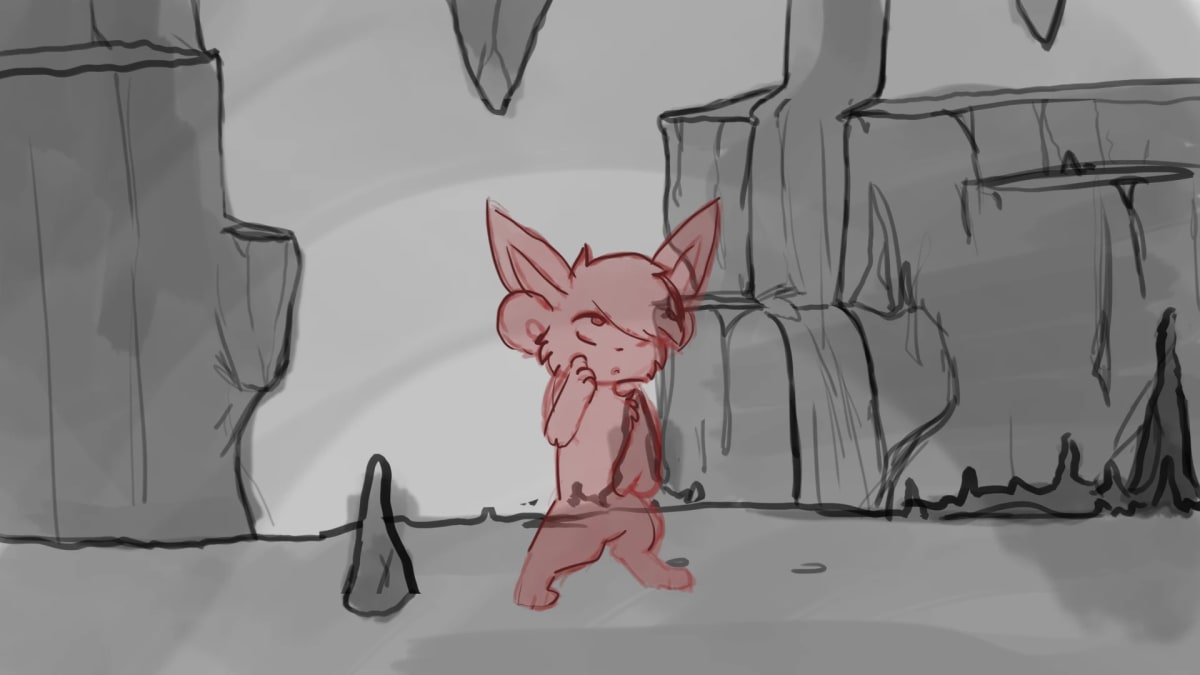
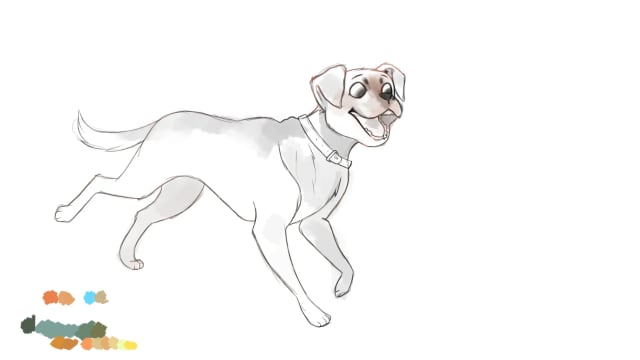
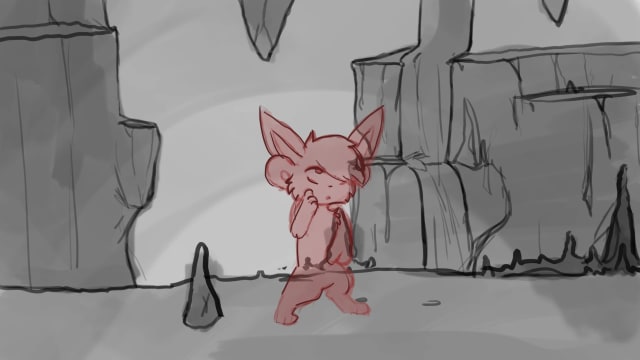
    Rough poses are drawn straight over the background to block timing and staging. Once the motion reads, the shot moves on to clean-up and final color.

Software

The tools behind each shot

  • Adobe Premiere Pro

    Editing and final assembly: cutting shots against music and sound, and exporting the finished reels.

  • Adobe Animate

    Frame-by-frame 2D animation — rough passes, clean-up and cutout rigs for faster shots.

  • Adobe Photoshop

    Backgrounds, color keys and painted frames, plus quick paint-overs to fix poses.

  • Adobe Illustrator

    Vector assets, title cards and graphic elements that need to stay crisp at any size.

Pipeline

Roughs and timing are drawn frame by frame in Animate. Backgrounds and color keys are painted in Photoshop, graphic elements come from Illustrator, and everything is cut together in Premiere Pro. A shot only moves on once it reads the same at full speed as it does frame by frame.

Why these

Nothing here was picked for its feature list. Each one does a single job well and hands the shot over without a conversion step in between.